
AviMark
In this article
In this article group
Create Your Line Item
Create Your Line Item
Step 1:
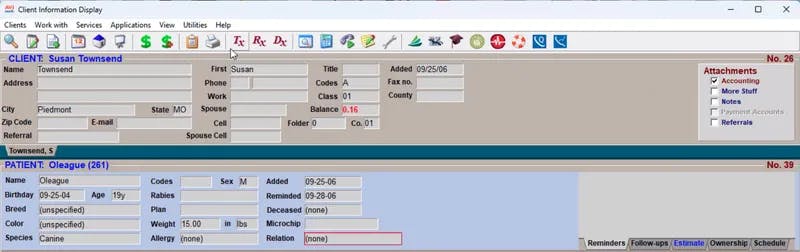
On your AviMark homepage, click on "Tx".
Step 2:
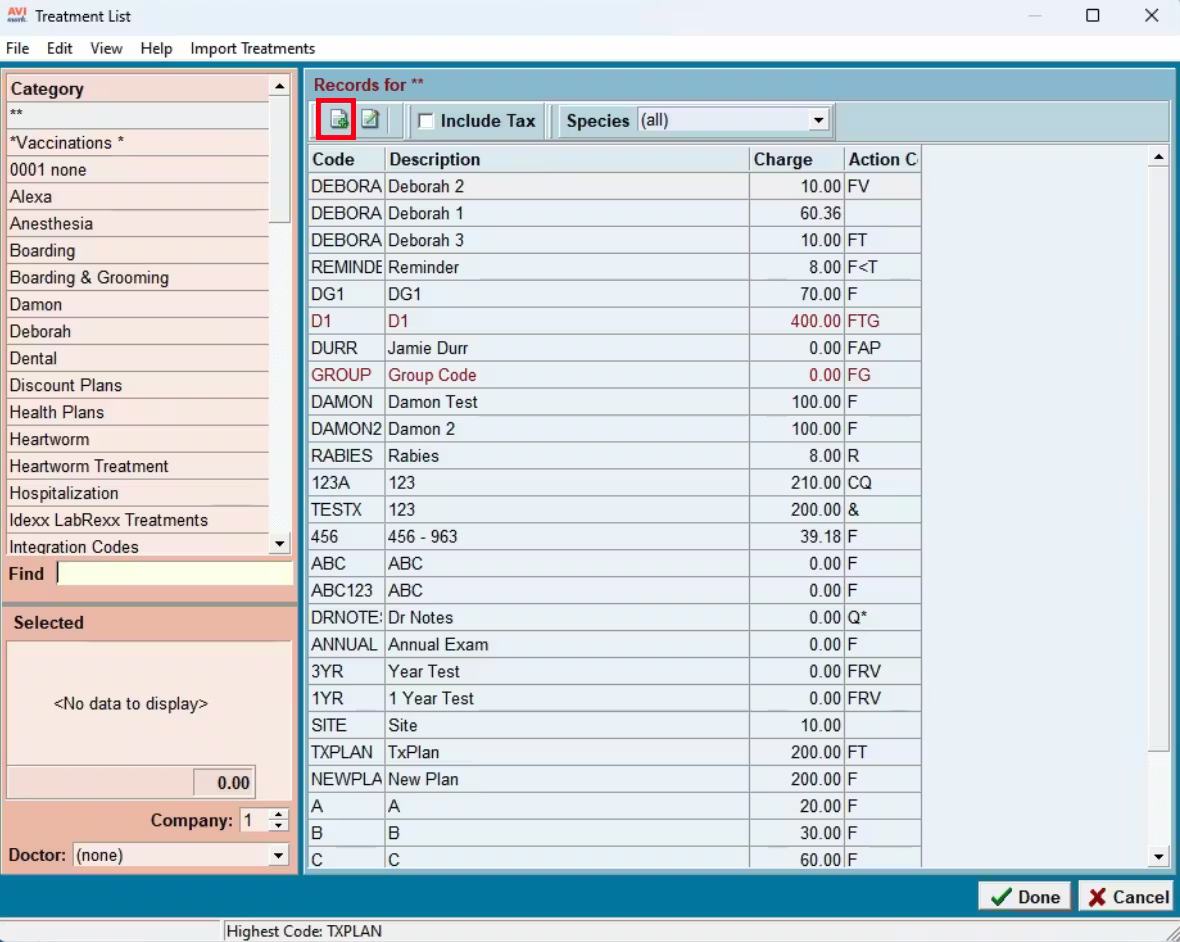
After the "Treatment List" window opens, select the icon that looks like a document with a plus sign (located beneath the words "Records for **")
Step 3:
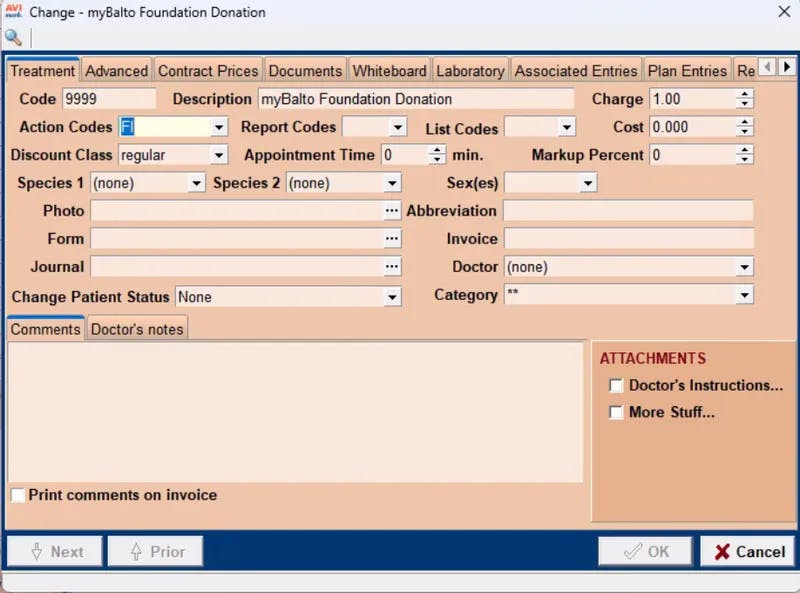
Enter the following information under the "Treatment" tab for a new item. Then click "OK".
Code: 9999
Description: myBalto Foundation Donation
Please make sure to copy and paste the text exactly as it's shown above.
Charge: 1.00
Click on "OK" once you have finished adding the details to the new product.
Step 4:
You have now successfully added the myBalto Foundation Donation to your PIMS! Head back over to the myBalto Foundation platform to verify your product.
Please note that it may take until the next day for our system to be able to verify the product has been added.
If for some reason you have added your product, and you are still not seeing donations coming through, then:
Verify the product name in your system matches "myBalto Foundation Donation" exactly, no extra spaces at the end.
Verify you've added the product in the myBalto platform in your settings.
Reach out to our team via email or by chat and we will gladly work with you to get it working!
Add myBalto Foundation as a Payment Type
How to add "myBalto Foundation Donation" to client's invoice:
Step 1:
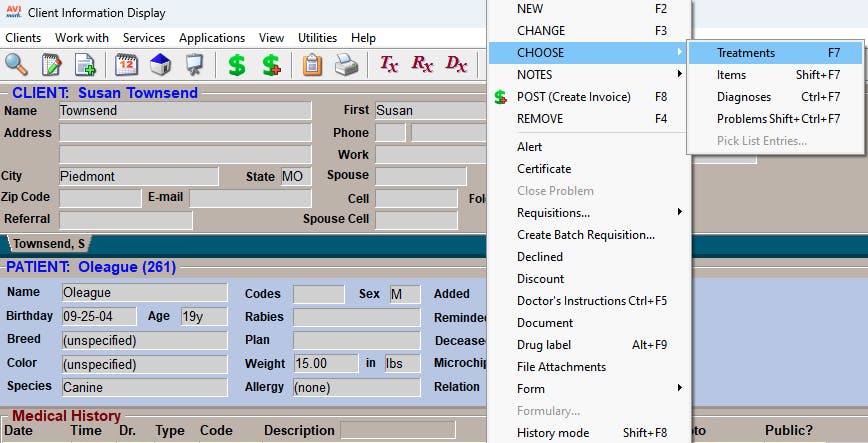
Go to your current patient's medical history and right click to bring up the option's window. Select "Choose" => "Treatments"
Step 2:
Use the Search feature and type "myBalto". The "myBalto Foundation Donation" line item should pop up. Select this option, and click on "Done"
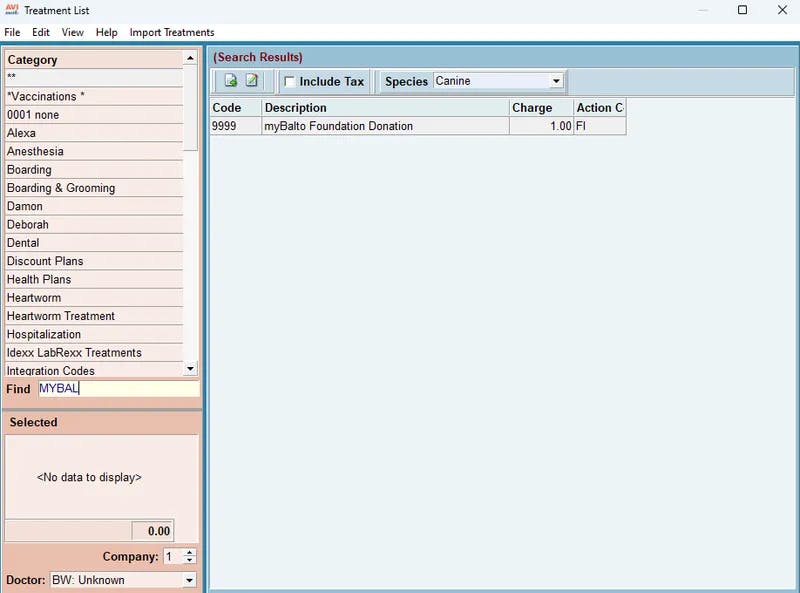
Step 3:
After selecting, simply adjust the quantity of the "myBalto Foundation Donation" line item to the amount requested by the owner (ex: The owner agrees to "round-up" to $3 dollar; adjust quantity to 3 and finalize invoice).